Local CLI
Local 10.2+ includes a command line interface (CLI) tool called localwp. It lets people and agents control Local from the command line on Windows, macOS and Linux. It’s off by default — you must install it from Local preferences.
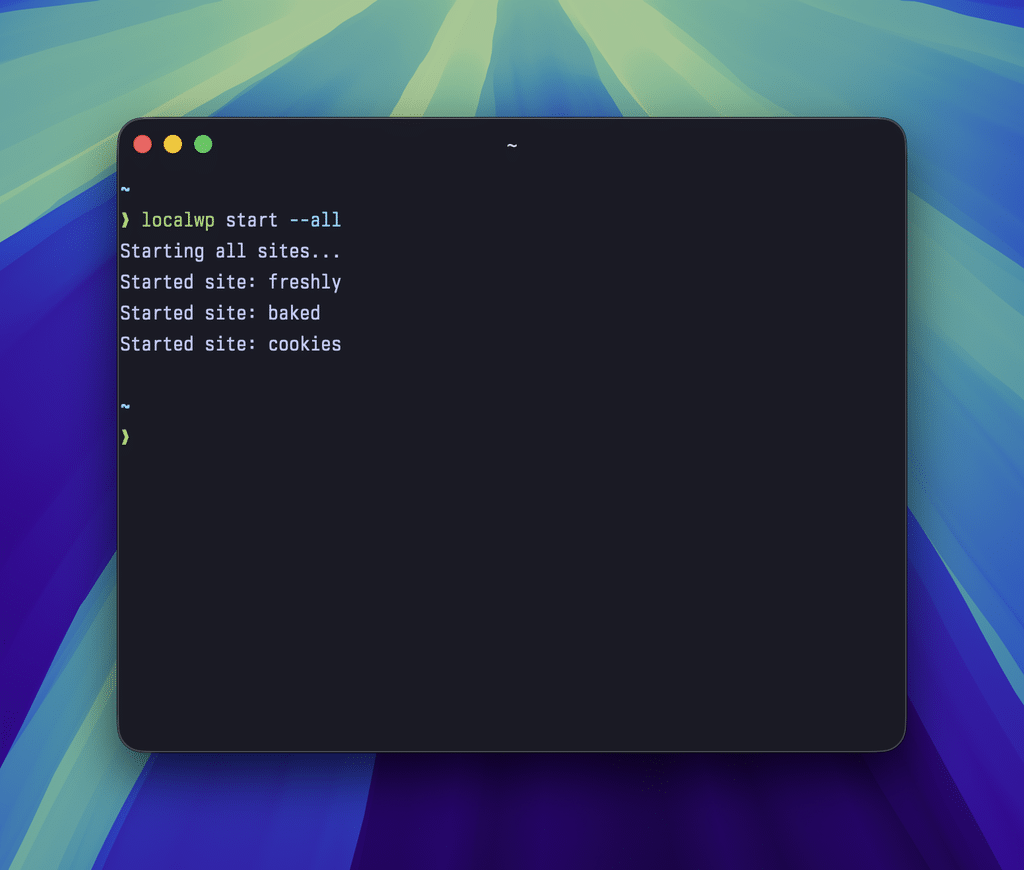
Enable Local CLI in Local’s advanced preferences
Install Local CLI before you try to use it:
- Open Local preferences.
- Navigate to “Advanced”.
- Toggle “Install Local CLI” to “On”.
- Click the “Apply” button.
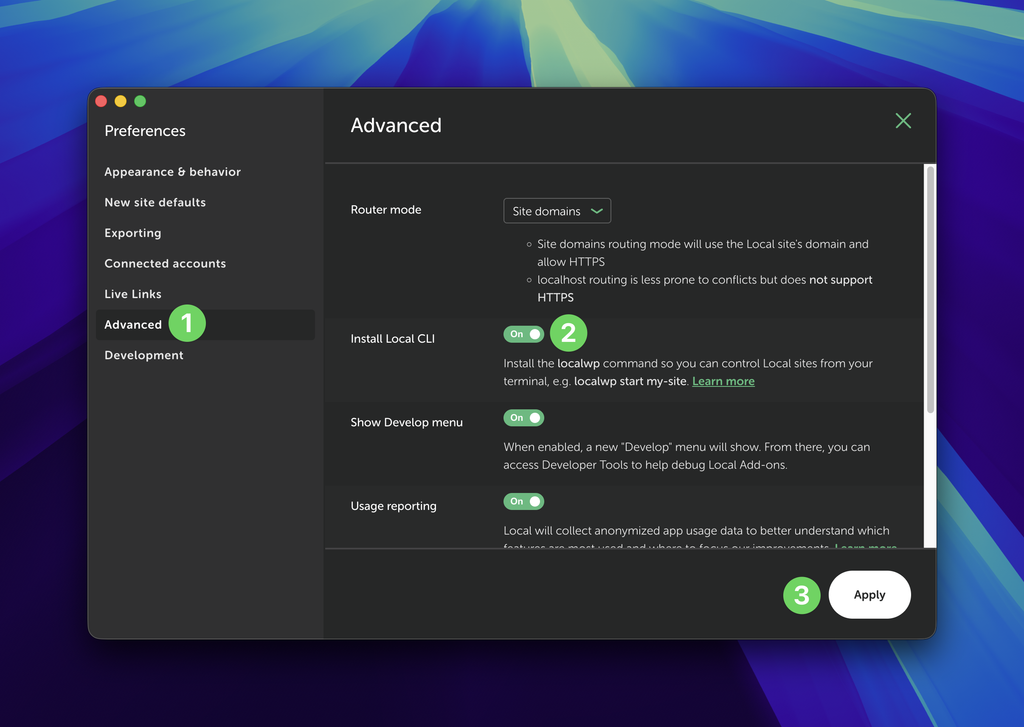
Use the localwp CLI
Local needs to be running before localwp commands work in full. localwp will try to launch Local if it’s closed. In a freshly opened terminal window:
Type localwp or localwp help for a list of commands.
Type localwp [command] --help for help on that command.
Using localwp with AI and agents
Agents such as Claude and Codex can use localwp and discover its commands and flags. Just ask them to “Use localwp to figure out why [sitename] returns a fatal error” and similar.
Helpful commands
For a full list of available commands, see localwp help.
- Start all sites:
localwp start --all - Stop all sites:
localwp stop --all - Start a named site:
localwp start [sitename](accepts optional--jsonflag) - List all sites:
localwp list(accepts optional--jsonand--fullflags) - Get info on a named site:
localwp info [sitename](accepts optional--jsonand--fullflags) - Run WP-CLI commands:
localwp cli [sitename] "[WP-CLI command]“ - Create a new site:
localwp new [sitename](requires user approval via authentication pop-up)
Upgrading Local CLI
Upgrades are automatic with each new version of Local. Once Local CLI is installed, you don’t need to do anything other than update Local.
To uninstall Local CLI
- Open Local preferences.
- Navigate to “Advanced”.
- Toggle “Install Local CLI” to “Off”.
- Click the “Apply” button.
Troubleshooting
If you see “zsh: command not found: localwp”, try restarting your terminal or opening a fresh terminal window.
If you see, “Invalid auth token”, especially after a Local update, try restarting Local.
For other issues, try removing and reinstalling Local CLI:
- Visit Preferences → Advanced.
- Toggle “Install Local CLI” off and click Apply.
- Toggle “Install Local CLI” on and click Apply.
Feedback and support
Is there a missing command you want to see? Need help or have general feedback? Please start a thread in the Local community forum.